Using AllDebrid to Stream with Kodi, Stremio, and Android TV Box
Using AllDebrid with Kodi
You must have Kodi installed on your device. Kodi is available on Windows, Linux, Android, Raspberry Pi, macOS, iOS, and tvOS.
AllDebrid can only be paired with ResolveURL in Kodi, so we will use the Kodi video add-on below:
1. Red Light – Installation Tutorial
2. Umbrella – Installation Tutorial
3. The Crew – Installation Tutorial
4. Otaku – Installation Tutorial
*Coco Scrapper Module (Must be installed and enabled) – Installation Tutorial
Using AllDebrid with Stremio
1. Torrentio
Instructions
I. Go to the Torrentio website https://torrentio.strem.fun/configure to configure the Torrentio addon.
II. Fill out the settings as shown in the image below.
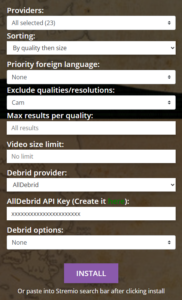
For the AllDebrid API Key
AllDebrid Account: Register Here
API Key: Create Here
III. Click the Install button. If there is no response, right-click on the Install button, copy and paste into the Streamio search bar.
IV. Installation done. The addon’s name will be displayed as Torrentio AD.
V. Pick the source links
- [AD+]: The source is already cached in the servers and ready to stream.
- [AD Download]: The source needs to be cached by the AllDebrid magnet.
2. Comet
3. MediaFusion
4. Peerflix
5. AIOStreams
ATTENTION!
The AllDebrid account must be in premium status before the stream can appear on your screen.You can activate the trial access and try for 7 days. Registration is free.
- Visit the site via this link
- Then click menu pricing
- Tick the tryout option
Media Folder (via Kodi)
Associated to your Alldebrid account, we propose a media folder via a HTTP link. The link is available directly at your AllDebrid user panel.
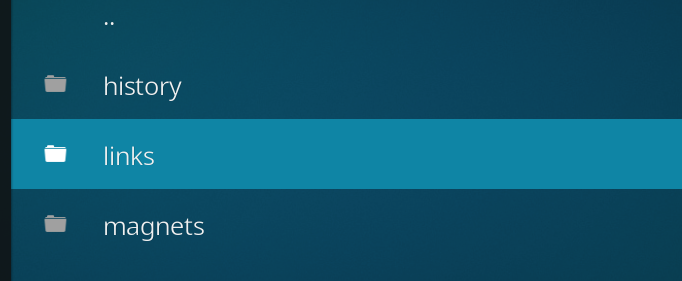
Our media folder displays links generated through your Alldebrid account in three categories :
- History : list all the links streamable generated from your account, the past 72 hours.
- Links : list all the streamable links that you have saved via the “saved for later” option.
- Magnets : list your magnets and torrent files that can be streamed.
Via this HTTP link, you can access to all the links you have generated on your account, and access them as you please, either through your browser, or through any third party software that manage HTTP folders (like Kodi).
How to link your AllDebrid media folder to Kodi
Step 1. When on the Kodi home page, Click on “Video” on the left menu, and select “Files” under “Categories”.

Step 2. Click on “Add videos”, then click on the line “none”.
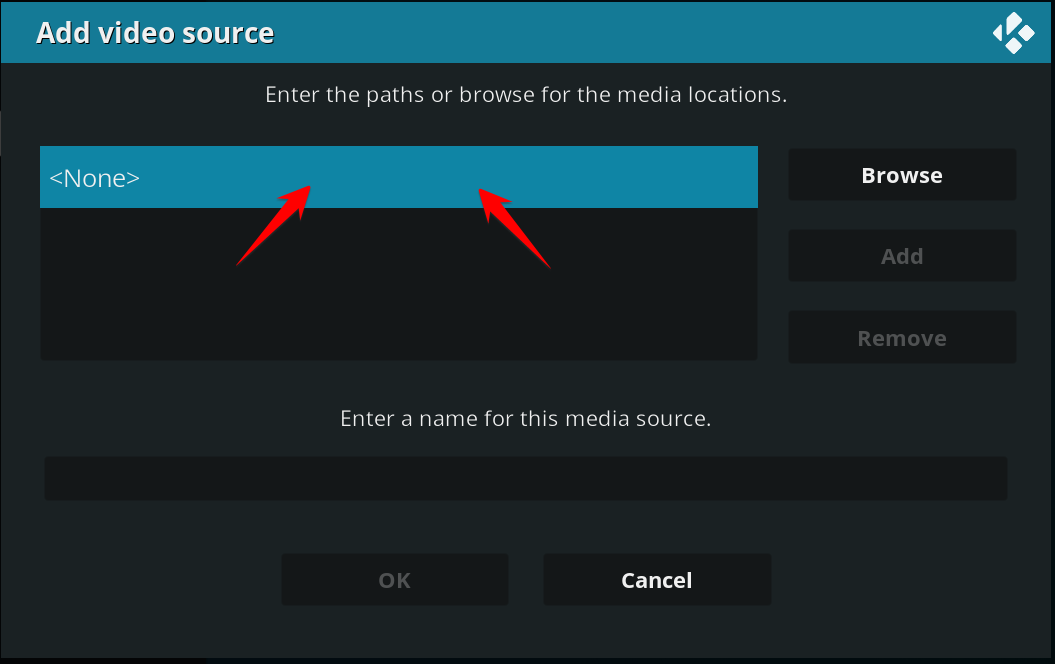
Step 3. Copy and paste your alldebrid “HTTP media folder”, available above and click “ok”.
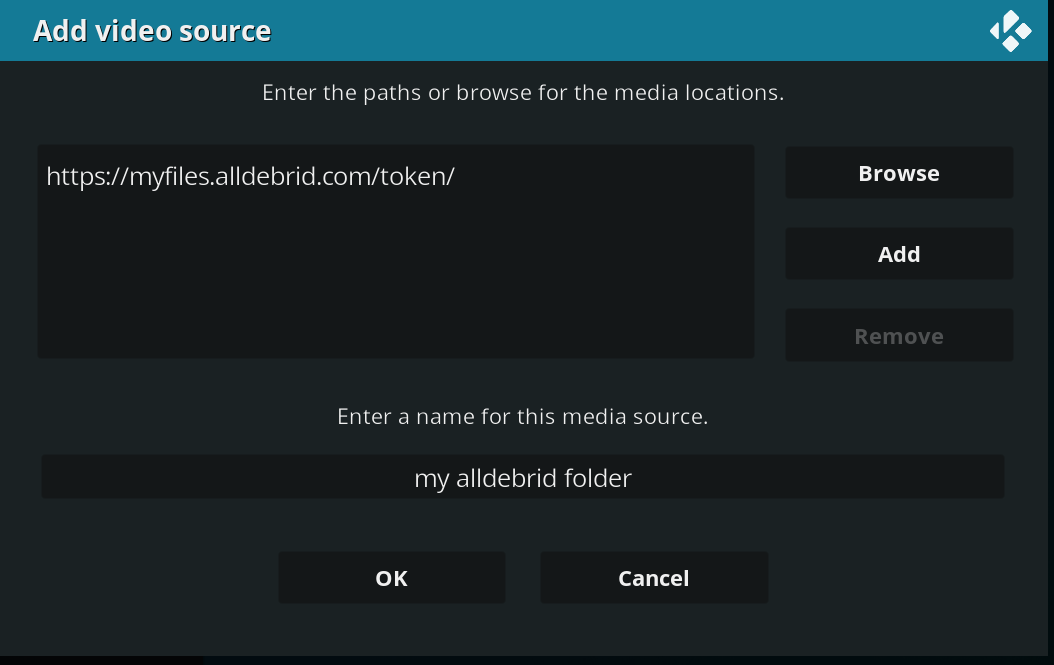
Step 4. On the “Set content” screen, just click “OK”, and you are all set!
From now on, you can select the source of your folder and see all your links under their category.